Post your jobs to Indeed and get applications straight into your Accelerec pipeline.
With Indeed Apply, candidates apply to your jobs on Indeed without going to your careers page. Their applications arrive in your Accelerec pipeline automatically. Your seeker form questions are used as the screener questions on Indeed.
Who can do this: Any user with a valid Recruiter license.
Open Integrations
Go to Settings > Integrations.
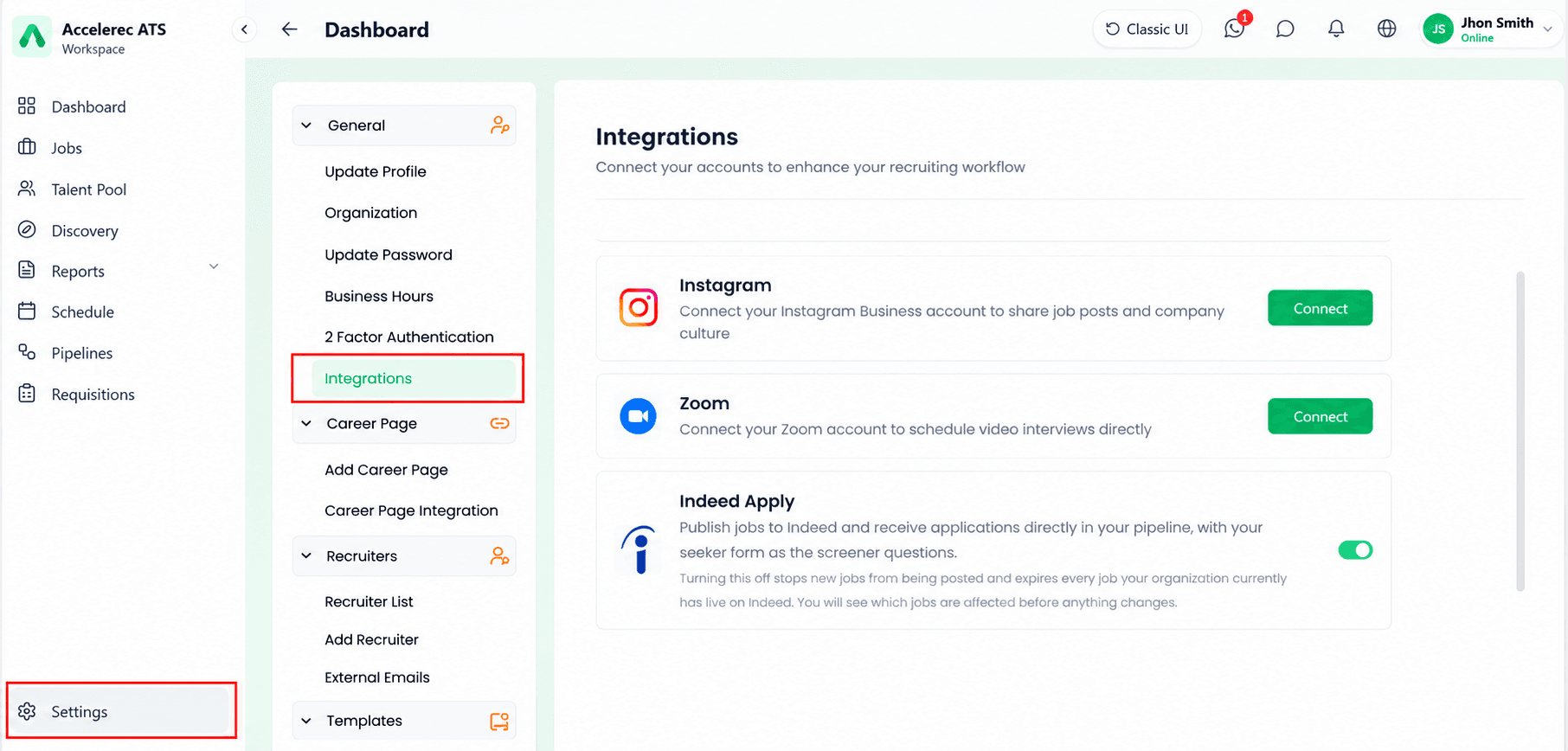
Find the Indeed Apply

Turn on the toggle
Switch the Indeed Apply toggle on. When it turns green, the integration is active.

Pro Tip
Post your existing jobs to Indeed
Open Jobs
Go to Jobs from the left menu.
Open Job Distribution
On the job you want to post, click the Job Distribution icon.

Turn on Indeed
In the Job Boards list, turn on the Indeed toggle. Its status changes to Selected for posting.

Important
To set up your screener questions, see Custom application questions
What happens next
Candidates who apply, are added to the job's pipeline in Accelerec, with Indeed as their source.