The Country Recruiter manages approved requisitions after Department Head approval. They can review requisition details, assign recruiters, create and publish job postings, and close requisitions when hiring is complete or no longer required.
- Click the View (👁) icon.
- Review requisition details and activity history.
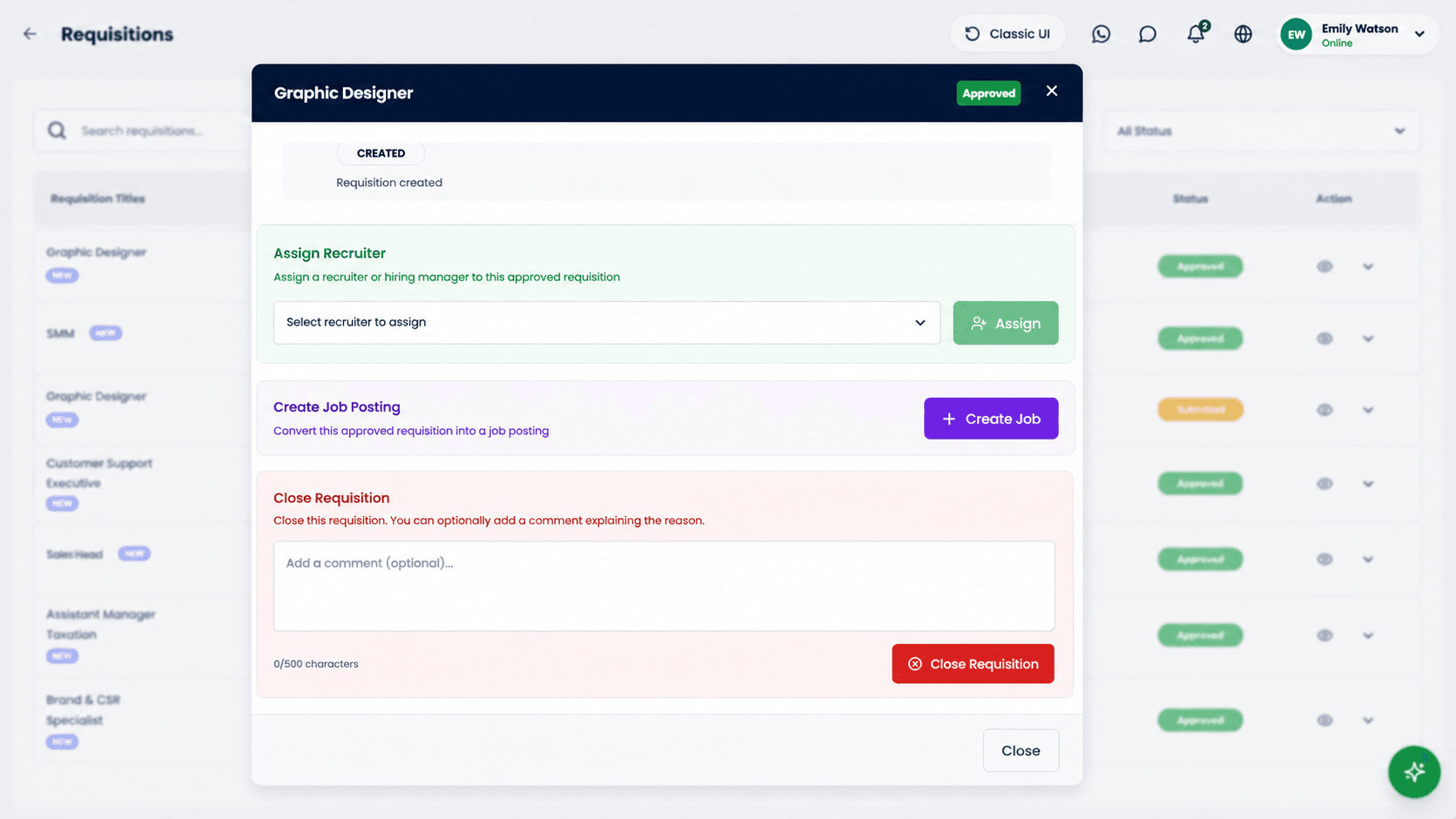
- Open the approved requisition and click Create Job. Review the pre-filled information, make any necessary updates, and save the job posting.
- Open the created job posting, verify the details, and click Publish to make it available to candidates.
- When the position has been filled or is no longer required, open the requisition, optionally add a closing comment, and click Close Requisition.

Note
Ensure the recruiter is assigned and the job details are reviewed before publishing the vacancy.